
Make distracting websites unavailable.
Retreat blocks the websites you pick — every browser, every app — until the end time you chose. A running Commitment can be made stricter, never looser, and never ended early.
Free, MIT-licensed · macOS 15 or later
How it works
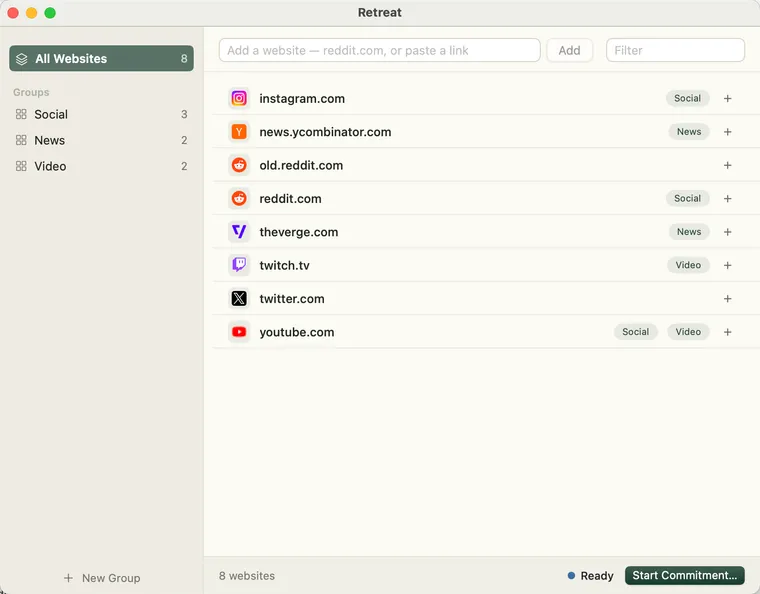
Keep a collection
Type a domain or paste a link; Retreat shows how it normalized what you pasted before saving. Groups are optional labels — a website can be in several, or none.
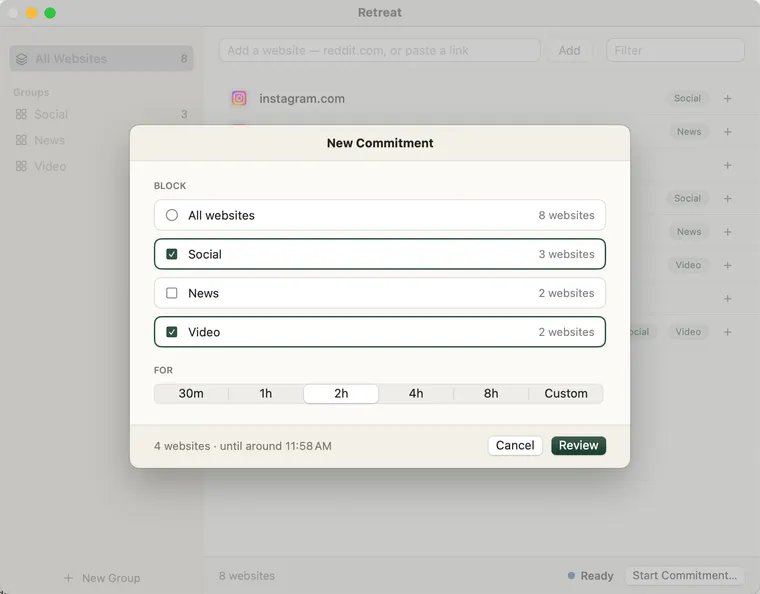
Choose websites and a duration
Pick Groups, or all websites — blocking everything is an explicit choice, not a default. Durations run from thirty minutes to 24 hours.
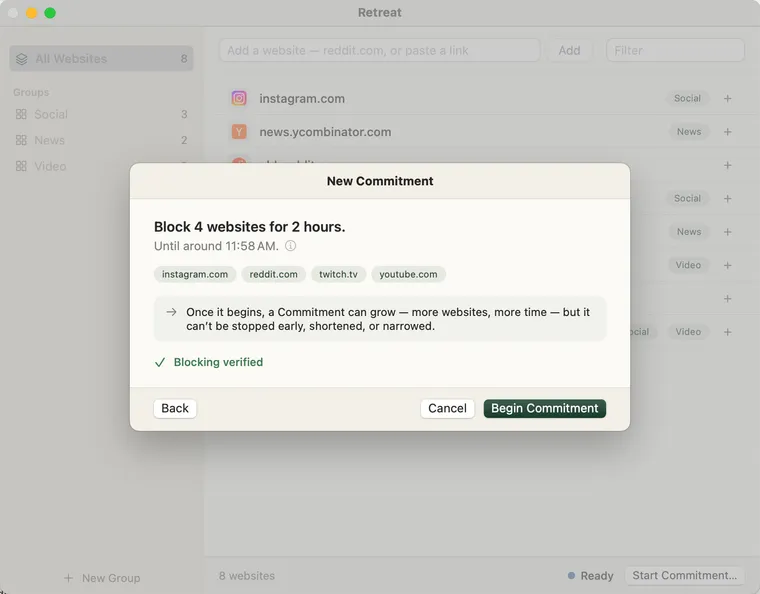
Review and begin
Before anything starts you see the exact list that will be blocked, the projected end time, and a check that blocking actually works on your Mac.
It only gets stricter
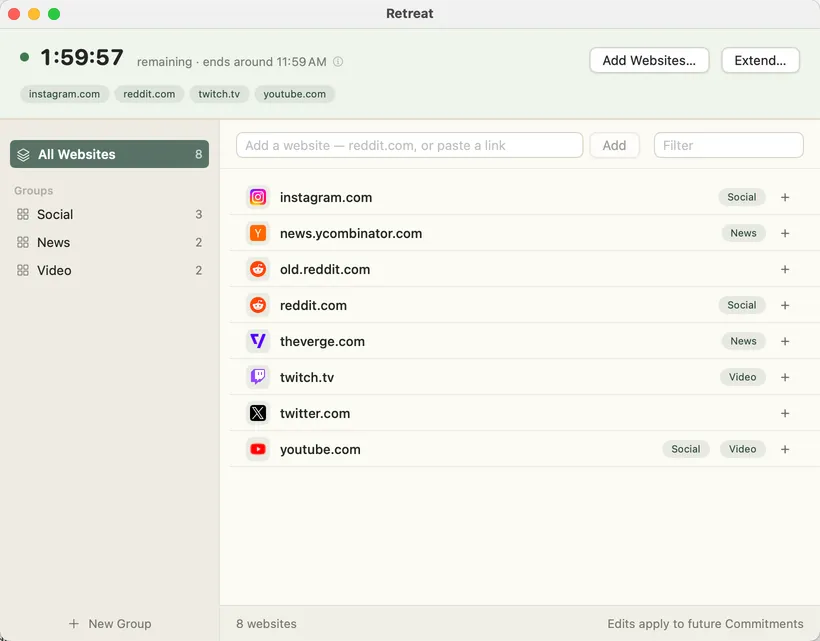
While a Commitment runs you can add websites and move the end time later, up to 24 hours from activation. Nothing can shorten it: there is no pause, no cancel, and no emergency way out. Those controls don’t exist — not even disabled ones. The end time is a projection; time while your Mac is shut down doesn’t count, so it can move later, never earlier.

Download
Free and open source · macOS 15 or later · about 6 MB